Saturday, December 13, 2014

DClock

Should I add the date!?


Friday, December 12, 2014

DateTime


Looks simple enough: I now have two digital clocks that show current time,
the first for Montreal, the second for Barcelona. I need to go into design mode to produce a visually compelling interface to frame this information.

In fact, the code for each was taken from a different tutorial. Each uses the DateTime class in 
Visual Studio. For the first:


The second was adapted form Home and Learn, UK. The code is quite lean:

In effect, the first creates a new timer object and fills it with DateTime data. 

For the time to show as 24-hour, one's computer needs to be set that way because DateTime
gets the computer's own settings. Which argues that, should one use the app from another country,
one needs to be careful...

The best solution, clearly, is to think it terms of Utc:


Tuesday, December 9, 2014

Precipitation


We seem destined to receive  mixed precipitations in the next few days. The above
table - from the French language Weather Network - gives some idea of how much
water is involved in the production of varying kinds of precipitation. On average, 1 millimeter
of water is good for 1 centimeter of snow. If the air is very cold, this 1 mm can produce up to 3 cms of snow ( the totally air crazy kind, that doesn't stick). In warm air, the result can be as low as 0,7 centimeters. For the formation of ice pellets, it takes 4 mm of water to form a mere 1 cm.

Monday, December 8, 2014

Saturday, December 6, 2014

Thursday, December 4, 2014

Wednesday, December 3, 2014

Alternative


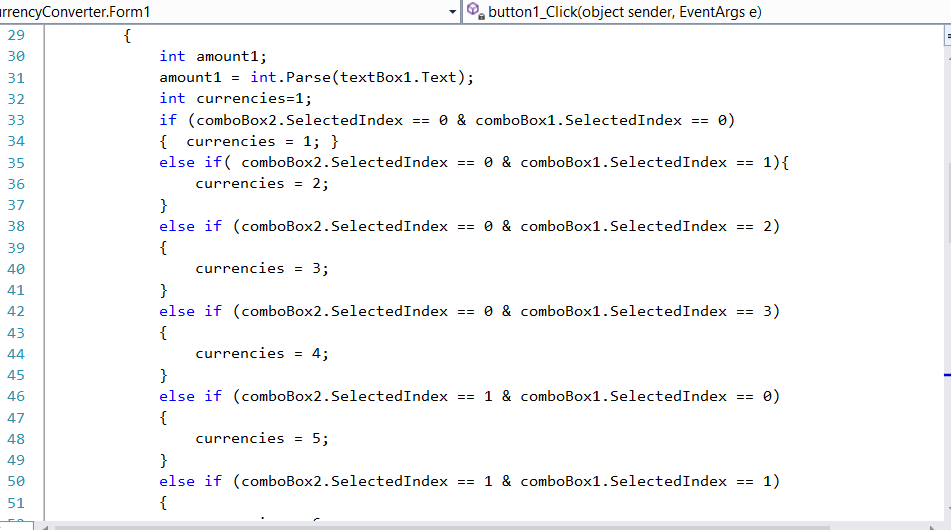
So my off-line currency converter does work, for the four currencies required: 
CAD, GBP, EUR and USD. But the coding cost is high on my first model.
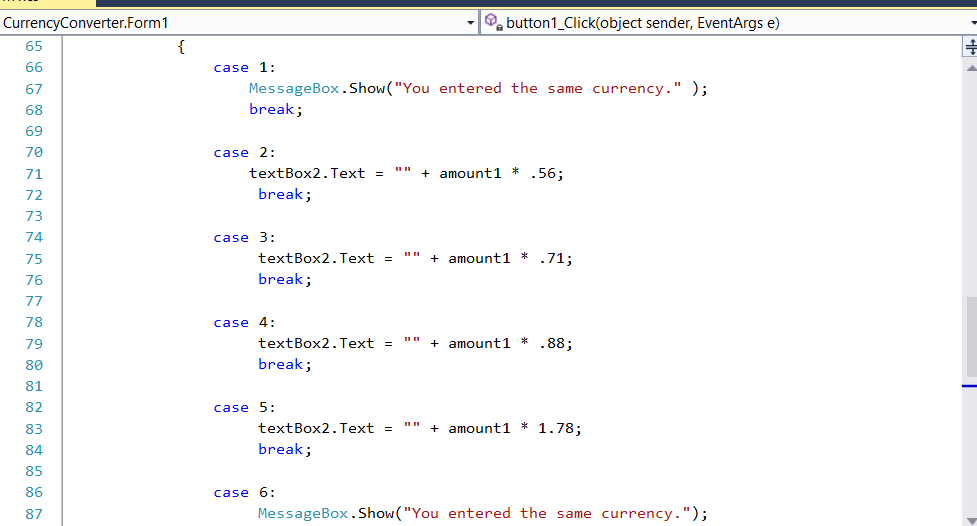
There are sixteen cases to be defined for the switch statement:


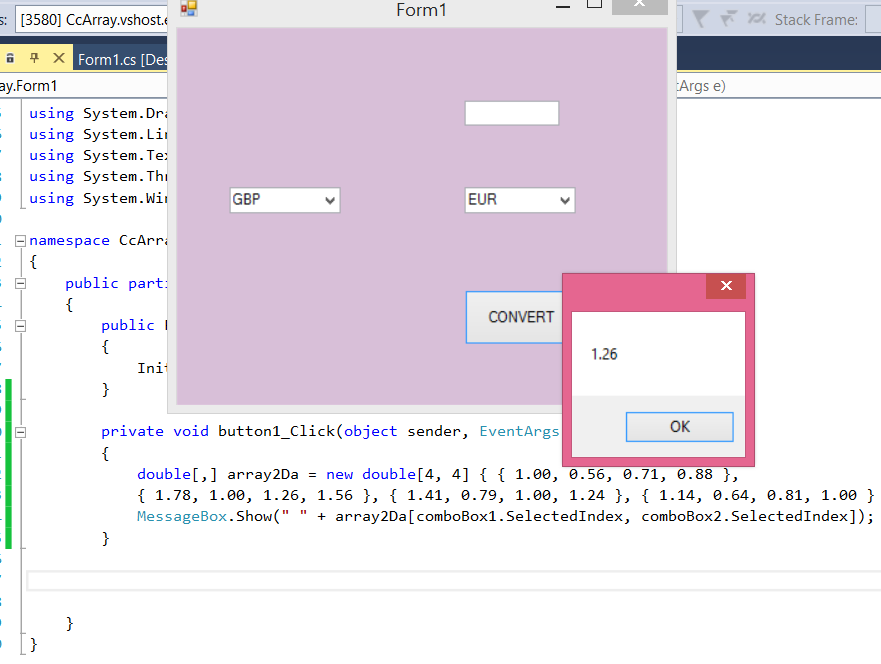
Then a much more economical way dawned on me: just create a two-dimensional array with the 
exchange values, and access the relevant case as the array index. This is going to work!!