Monday, February 5, 2018

Lesson: Browser Recognition


There are things a developer can always look up and find
faced with a concrete problem.

One area of problem is the predomiance of mobile devices. A browser on
a mobile device cannot always be trusted to adapt to problematic situations
or lax coding, as a browser on a larger computer can. For this reason, an xml
standard was developed; what it boils down to to is a very strict application
of all html conventions: all tags closed, small case in opening and closing, language
property specified...etc

The fact html has evolved also can cause issues: tags that used to be accepted -
like applet - are not recognized in html5; and the latter does create new ones
like section. If one expects one's work to appear in browsers from different generations,
one should check for this. In the case of html compliance, one might decide to  'create'
as new entities things like  applet and section, which only some browsers recognize.

If one ever plans to put out something like a planetary game, there are quite a few things
to worry about, translation being one of them. Platforms will offer guidelines on this.

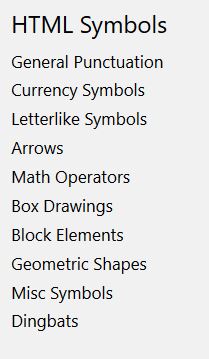
There exists a number of useful utilities in this regard, like a px to em converter,
keyboard shortcuts in various languages...etc.

One needs to be very careful with urls. these can never contain spaces and must always use the
ASCI character set.

One can use cookies on a user's siter, and web workers in the background. I had a surprise
the other day when I arrived on a web utility site: I would be welcome to use the service, but I
would be mining bitcoin while I was there!!


source: W3 Schools
                                
                                        *     *     *
One can draw, and even animate, in an htlm page using the canvas element
and context(2d). Essentially, it is an interface that one needs to invoke, and which one
is then free to draw with.

https://developer.mozilla.org/en-US/docs/Web/API/CanvasRenderingContext2D

                                      *     *     *
I'm baaaad! I've just found how to embed a YouTube video on a screen size
of my choice, and without all the features...


Sunday, February 4, 2018

Lesson 24 (symbols)

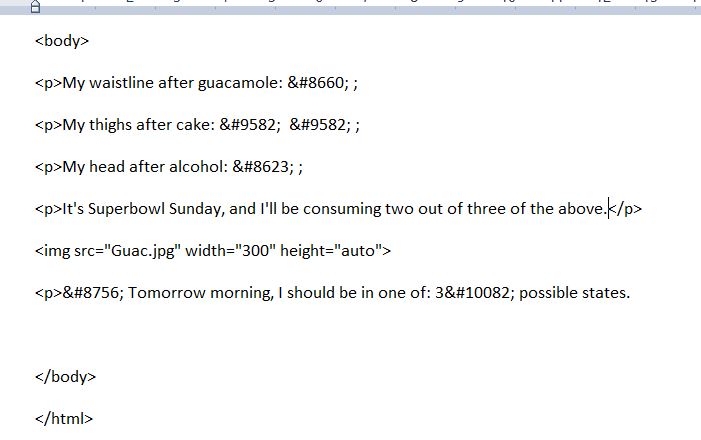
Html offers a large inventory of entity symbols. One is advised
to try the entity first - with &#name; - or go to a decimal or hexadecimal
representation.

The example below is a whimsical view of consuming party foods, and
assumes that order matters...


source: W3 Schools
image source: MSN

Saturday, February 3, 2018

Lesson 23 (entities)

There are some things that are reserved html glyphs:
for example, the ever present greater than and less than around tags.
Html has a special vocabulary to deal with those. That, and rare signs such as
the euro glyph. One just consults a list and introduces them as needed
(always ending with a semi-colon).

In the last example, I had to consult two lists, one in French as well as the
one I had in English, on accents. My browser handled both, but one can see here
the wisdom of specifying the language of one's code.


 http://www.starr.net/is/type/htmlcodes.html

Tooltip

It's a prominent aspect of Wikipedia: a link that one doesn't click
but merely glosses over shows a bit of information. It's called a tooltip,
and is very easy to implement. One puts the message in the title of an
anchor tag.


Above, I'm having a little joke about Hydro pricing to customers, but it is very
serious business. Imagine a contrary pricing arrangement, where it is less expensive the
more one buys, a bit like potatoes in a 10 pound bag. It would be havoc, because that
extra energy has a resale value; your neighbor could sell you electricity at a
bargain price with respect to that of the utility company.

So there is wisdom in the current arrangement. It tells you to consume carefully
in the winter. And because one consumes less than the allowance in summer,
there is room for a bit of air conditionning when the heat gets too much...

There's really a lesson here for the debate on sugar pricing and consumption.
One should be charged more for sugary drinks as one goes over allowance in a day.
Not really feasible, so maybe one should be double charged the calories
in fizzies or the like (that's the effect on weight, for most of us)...Worth
considering... ;)

Friday, February 2, 2018

Practice Project

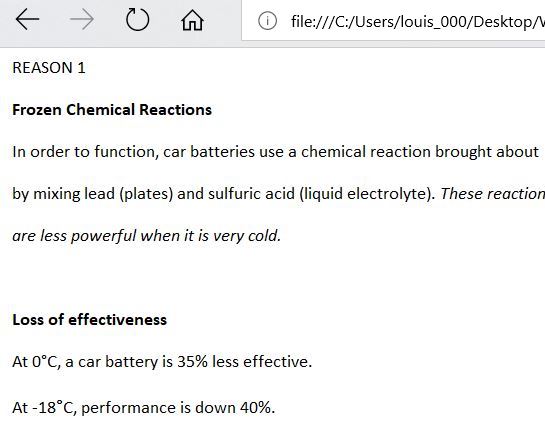
Now I have an idea about a Web page I would like to create.
It is inhumanly cold again this morning, and the French
language Journal de Montreal has a helpful visual on how a car
battery works (and why it might freeze). I want to produce an English
version of the essential points, which the user could
consult with a click or a hover. So far:


Oopsie: the image is big, and resizing doesn't work. Ideally, I would like
bits of translation to appear on hover; or, I could sacrifice on image size
and keep this model...

                                              *     *     *

I have an alternative model, usiing imagemap:


                                                                                                                    ...

Coordinates are x, y, width and height on a rectangle; for a poly, the (x,y)
for each vertex. (0, 0) is at the upper left; this is the convention
for drawing on the canvas in html.

I use Blend to read the coords of the shapes I am interested in.


                                       *     *     *


Lesson 22 (computer code)

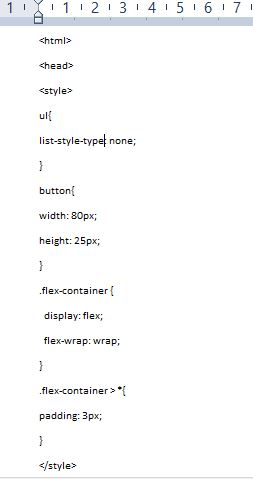
This could be terribly useful to me. One can include -
effectively quote - computer code within an html page
and have it appear as code. Just put it between code
tags, and never use actual tags in what one wants to code.
To wit:


The code appears in the browser's default font. If one has a long code example,
we can wrap that in pre tags to maintain format. One can also indicate a variable
with var, refer to user input with kbd and sample code with samp...

source: W3 Schools

Thursday, February 1, 2018

CSS3 ( the em)

The em is an interesting measure. For recall, font size is the height
of a letter in printer's points, with 72 points to the inch; ( the
width being different for various letters). An em is a
measure of print width for a given font size. CSS3 allows one to use
this to specify things like margins and padding. Below: